Comparison Exporter
Overview
Comparison Exporter exports Salesforce Flow version comparison results to an Excel workbook based on a pre-defined template.
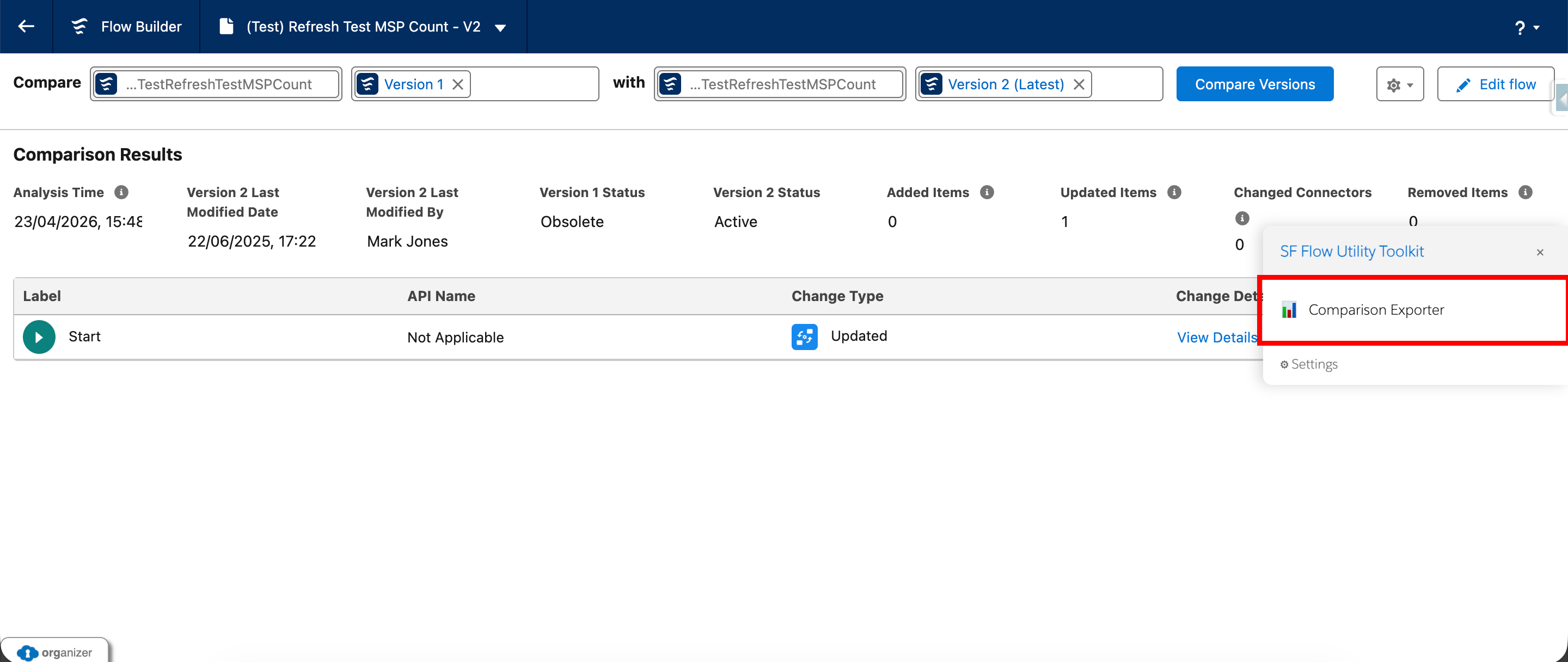
Where it appears
Comparison Exporter is intended for the Salesforce Compare Flows page in Setup.
What the feature does
- Detects that the user is on the Compare Flows page.
- Loads the bundled XLSX library when export begins.
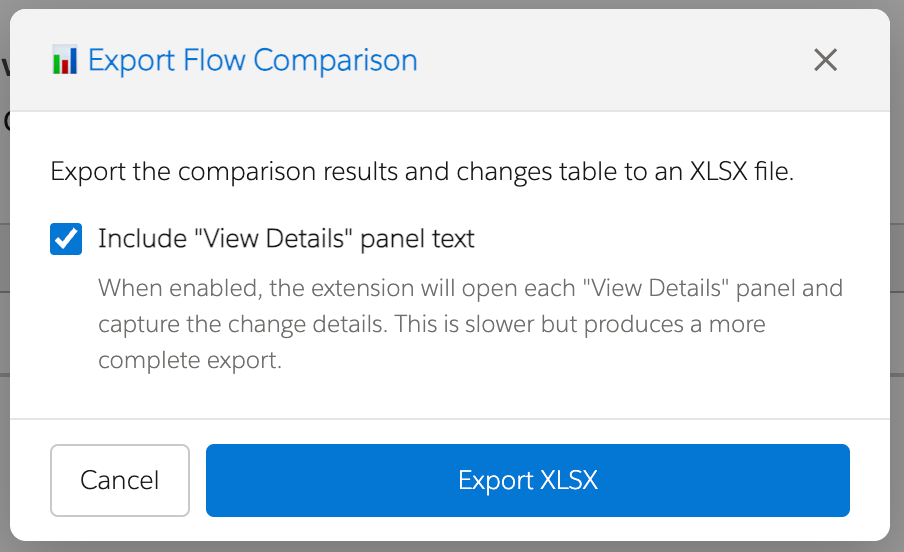
- Opens an export options modal.
- Scrapes the selected Flow/version information from the page.
- Scrapes comparison result values such as analysis time and item counts.
- Scrapes the basic changes table.
- Optionally opens each View Details action to capture detail text.
- Loads the Excel template workbook.
- Populates named ranges and the comparison changes table in the workbook.
- Triggers a browser download of the generated XLSX file.
Export options modal
Before the export begins, the feature opens a modal with a checkbox for including View Details panel text. Detailed export is slower but more complete.
What gets exported
- Selected Flow/version information (API names and version numbers for both compared versions)
- Comparison summary values (Analysis Time, Last Modified Date/By, Status, Added/Updated/Changed/Removed item counts)
- Changes table (Label, API Name, Change Type, Details)
Downloaded file
The filename follows this pattern: FlowCompare_<FlowApiName>_<VersionX>_to_<VersionY>.xlsx
How to use it
- Open the Salesforce Compare Versions page.
- Select the two Flow versions to compare.
- Launch Comparison Exporter from the extension.
- Choose whether to include detailed View Details panel text.
- Confirm the export.
- Wait while the exporter scrapes the page and generates the workbook.
- Open the downloaded
.xlsxfile.
Notes and limitations
- The feature depends on Salesforce comparison-page DOM structure and selectors remaining compatible.
- Detailed export is slower because it opens and reads each View Details panel individually.
- The exporter depends on the bundled XLSX library and the Excel template workbook containing the expected named ranges.