Missing Description Flags
Overview
Missing Description Flags helps identify Flow elements and resources that do not currently have descriptions by adding visible warning indicators in Salesforce Flow Builder.
The feature is intended to make missing documentation more obvious while working directly in the builder, so that users can identify undocumented items more quickly and improve maintainability over time.
Current behaviour supports flagging missing descriptions across:
- Flow canvas elements
- toolbox items and resources
- flow-level description state
- some orchestration-related items such as steps
Where it appears
Missing Description Flags is intended for Salesforce Flow Builder.
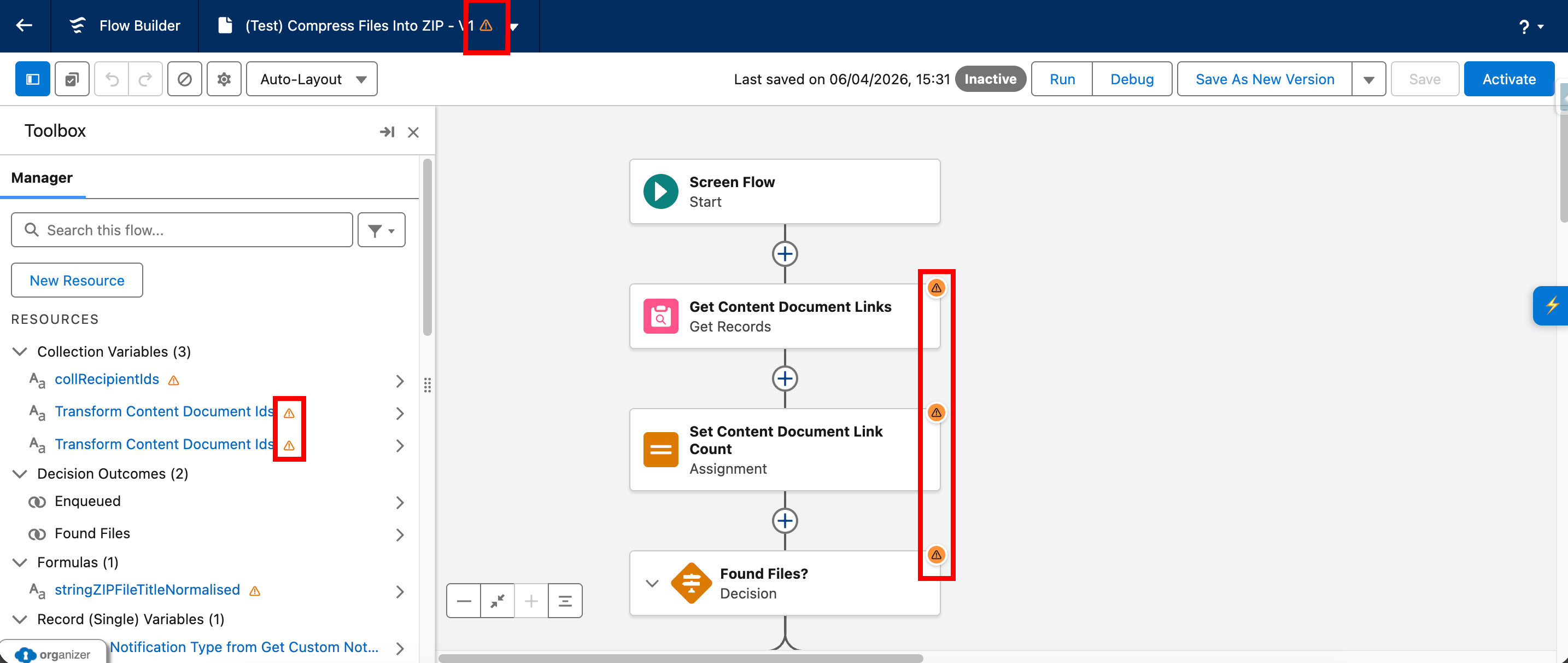
When active, it attempts to place warning indicators in several parts of the Flow Builder experience, including:
- canvas element cards
- left-panel toolbox/resource items
- the Flow header area
- some orchestration-related items
What the feature does
Missing Description Flags currently provides the following functionality:
- Checks whether the feature is enabled in settings.
- Waits until the current Flow ID is available.
- Retrieves Flow metadata.
- Identifies elements and resources that have no description.
- Starts observing the DOM for relevant builder changes.
- Injects warning flags onto matching canvas elements.
- Injects warning flags onto matching toolbox/resource items.
- Injects a warning flag at flow level if the Flow itself has no description.
- Supports a manual refresh action to re-fetch metadata and rebuild flags.
- Optionally refreshes after Save when save completion is detected.
What gets flagged
The current implementation checks a broad range of Flow metadata structures for missing descriptions.
Standard Flow elements
Examples include:
- Action
- Assignment
- Collection Processor
- Custom Error
- Decision
- Loop
- Create Records
- Delete Records
- Get Records
- Roll Back Records
- Update Records
- Screen
- Subflow
- Transform
- Wait
Resources
The implementation also checks resource-style items such as:
- Variable
- Formula
- Constant
- Text Template
- Choice
- Dynamic Choice Set
Flow-level description
If the Flow itself does not have a description, the feature also attempts to add a Flow-level warning indicator.

Orchestration-related items
The implementation includes logic for:
- Stage
- Step
This means orchestrator-related metadata is part of the current scope, though there is a known issue affecting stage flagging behaviour.
How matching works
The feature reads Flow metadata and builds an internal list of items missing descriptions.
It then attempts to match these items against the current Flow Builder UI using label text, API names, and other DOM attributes depending on where the item appears.
Canvas matching
For standard canvas items, the feature looks for Flow Builder labels on visible element cards and attempts to match them to the metadata list.
Toolbox matching
For toolbox items and resources, the feature searches the left panel and matches based on the displayed item name.
Flow-level matching
For the Flow itself, the feature looks for the Flow name header and adds a dedicated warning flag if the Flow description is missing.
Orchestration matching
The implementation includes extra handling for:
- stage labels on canvas
- nested stage steps
- numbered stage labels that may differ slightly from metadata labels
This is intended to improve compatibility with Flow Orchestrator-style structures.
Visual behaviour
When an item is identified as missing a description, the feature adds a warning indicator.
Current warning indicators include:
- a canvas warning flag for Flow elements
- a toolbox warning marker for left-panel items
- a flow-level warning marker next to the Flow name
The warning text is intended to make the reason clear, for example:
"Element Name" has no descriptionThis flow has no description
Activation and refresh behaviour
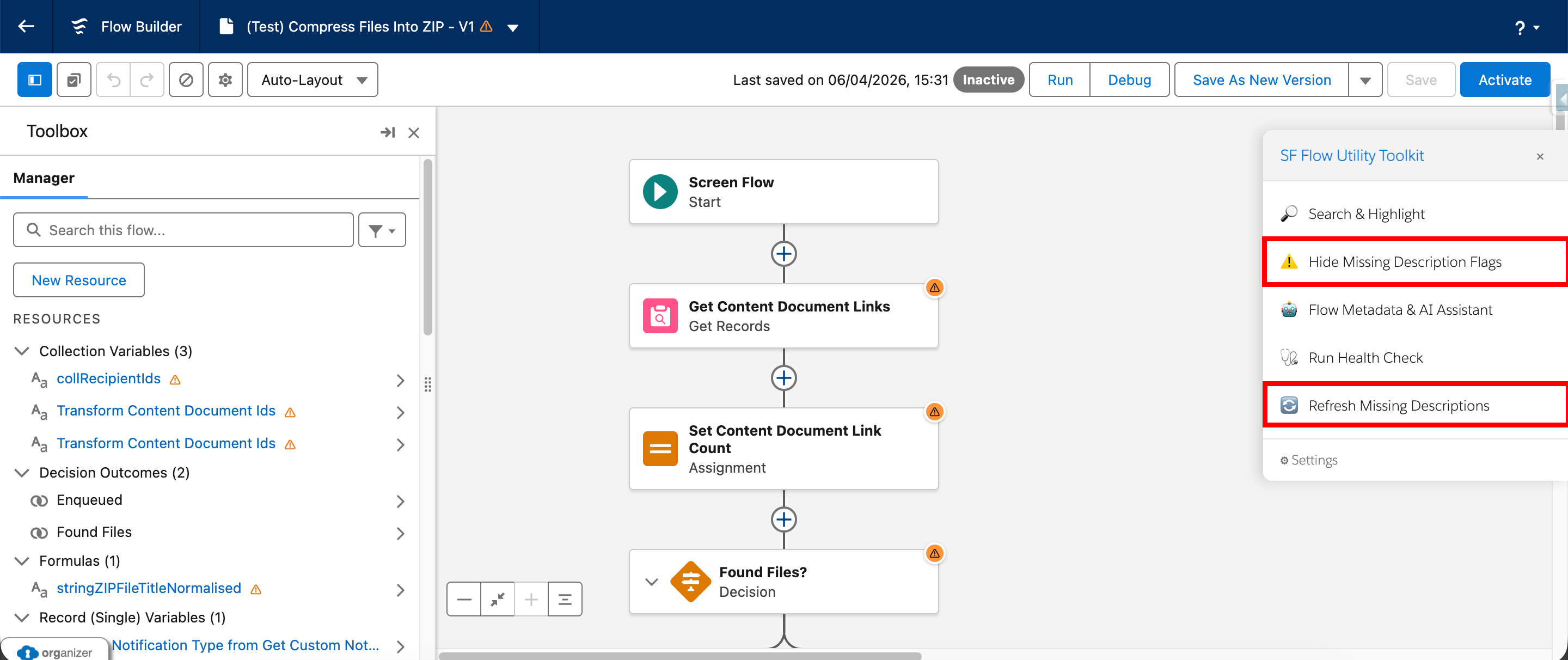
Missing Description Flags can be enabled or disabled, and its current state is exposed so the extension UI can switch between:
- Show Missing Description Flags
- Hide Missing Description Flags
The feature also supports a manual refresh action.
Manual refresh
The refresh action re-fetches metadata and rebuilds the current set of flags.
This is useful after descriptions have been added or modified and the user wants to refresh the warnings without reloading the page.
Save-related refresh
The implementation also includes optional save-related refresh logic.
This means the feature can attempt to detect save completion and refresh the metadata after a short delay, helping the warnings stay aligned with recent edits.

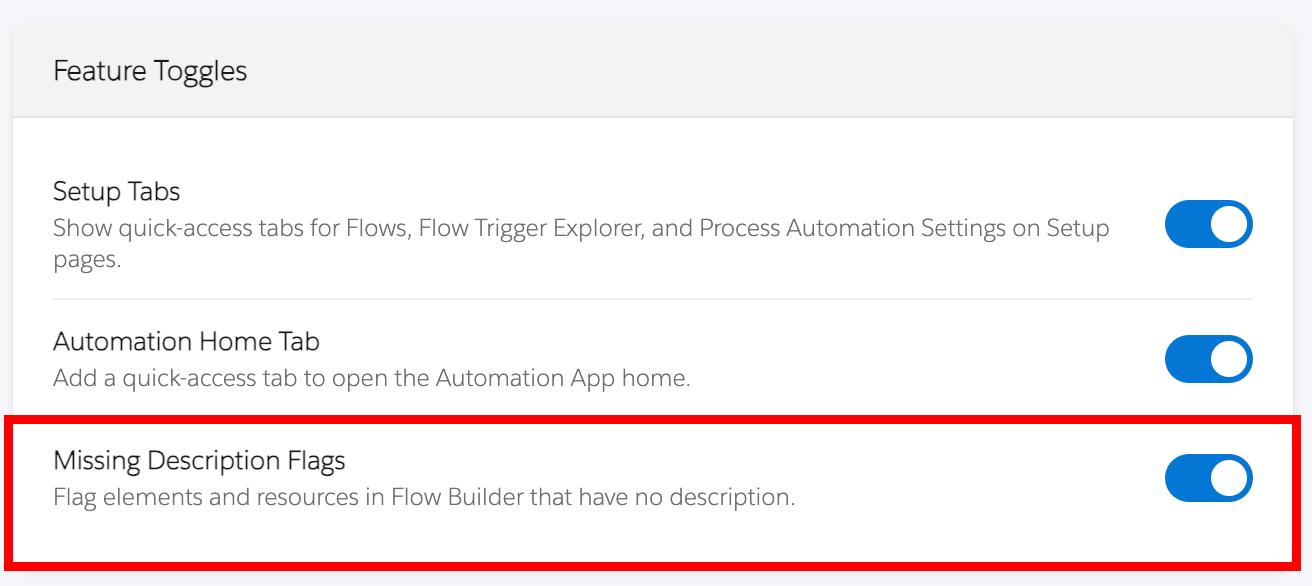
Enable/Disable the Function
The Missing Description Flags function can be enabled/disabled with a toggle in the settings page. The setting will be enabled by default upon installation of the extension.

How to use it
- Open a Flow in Salesforce Flow Builder.
- Enable Missing Description Flags from the extension (they will be present by default in existing Flows).
- Review the warning indicators shown on the canvas, in the toolbox, and at Flow level where applicable.
- Add missing descriptions as needed.
- Use the refresh action if required to rebuild the flags after updates.
Notes and limitations
Current implementation notes:
- The feature is designed specifically for Salesforce Flow Builder.
- It depends on Flow Builder DOM structure and selectors remaining compatible.
- Flagging is based on retrieved metadata and matching against rendered UI elements.
- Some items may render later than others, so the feature includes retry behaviour and DOM observation to catch late-rendering content.
- Manual refresh is supported and is useful after editing descriptions.
- Save-triggered refresh behaviour is present but should be treated as supportive rather than the only refresh path.
Accessibility and usability notes
The current implementation includes:
- visible warning indicators
- tooltip text for missing-description warnings
- a toggleable active state
- manual refresh support for keeping flags in sync after edits