Setup Tabs

Overview

Setup Tabs adds quick-access navigation tabs into Salesforce’s existing Setup tab bar to make it easier to move between commonly used Flow-related destinations.

The feature is intended to reduce navigation friction by placing direct shortcuts into the Setup tab area for pages that Flow builders and admins may use frequently.

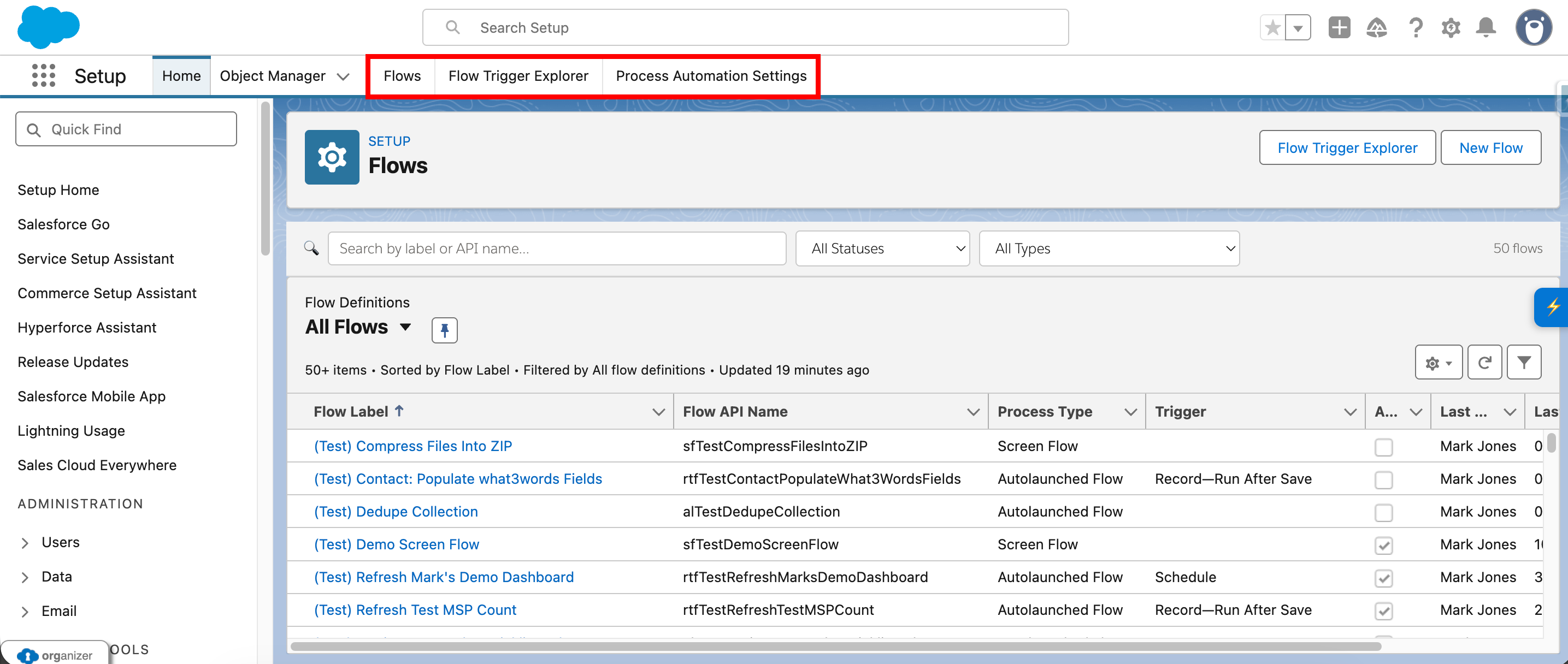
Current tab support includes:

Setup Tabs Injected Tabs (No Automation Home)

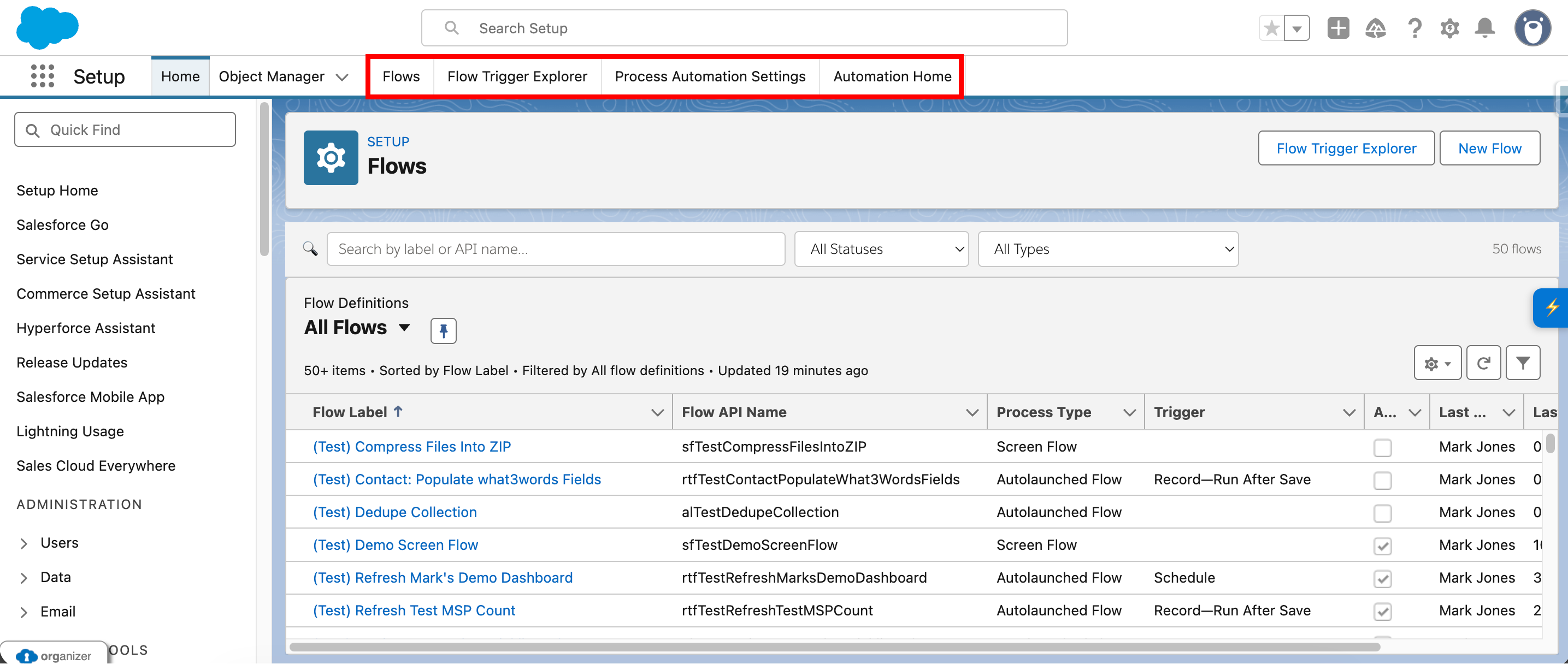
An optional additional tab is also available for:

Setup Tabs Injected Tabs (With Automation Home)

Where it appears

Setup Tabs is intended for Salesforce Setup pages where the standard Setup tab bar is present.

The feature looks for the existing Setup tab bar and injects additional custom tabs into that same navigation area.

What the feature does

Setup Tabs currently provides the following functionality:

  1. Checks whether the feature is enabled.
  2. Waits for the Salesforce Setup tab bar to appear.
  3. Injects custom quick-access tabs into the existing tab bar.
  4. Builds destination URLs based on the current hostname and environment.
  5. Opens Setup-based destinations in the current tab where appropriate.
  6. Opens cross-domain destinations in a new browser tab where appropriate.
  7. Supports optional injection of an additional Automation Home tab.
  8. Removes or reinjects tabs when settings change.

Injected tabs

Flows

The Flows tab links to the Salesforce Setup Flows home page.

This tab opens in the current tab.

Flow Trigger Explorer

The Flow Trigger Explorer tab links to the Flow Trigger Explorer page.

Because this page lives on a different subdomain from the Setup domain, it opens in a new browser tab.

Process Automation Settings

The Process Automation Settings tab links to the relevant Salesforce Setup page.

This tab opens in the current tab.

Automation Home

The Automation Home tab is optional.

When enabled, it links to the Automation App home using the known Lightning app route:

This tab opens in a new browser tab.

The feature determines whether a tab should open in the current tab or a new browser tab based on the destination.

Same-tab navigation

These destinations are intended to open in the current tab:

For these tabs, the feature attempts to use Salesforce navigation where possible and falls back to standard browser navigation if needed.

New-tab navigation

These destinations are intended to open in a new browser tab:

This behaviour is especially important for destinations that live on a different Salesforce subdomain or in a different Lightning app context.

Active tab behaviour

The feature also checks the current URL to determine whether one of the injected tabs should appear active.

Current active-state checks cover:

This helps the added tabs feel more consistent with the rest of the Salesforce tab bar.

Settings and configuration

Setup Tabs is controlled through settings.

Master toggle

The main feature is controlled by:

If this setting is off, the custom tabs are not injected.

Optional Automation Home toggle

The optional Automation Home tab is controlled by:

If the main Setup Tabs feature is enabled and this setting is also enabled, the extra Automation Home tab is injected.

Settings page support

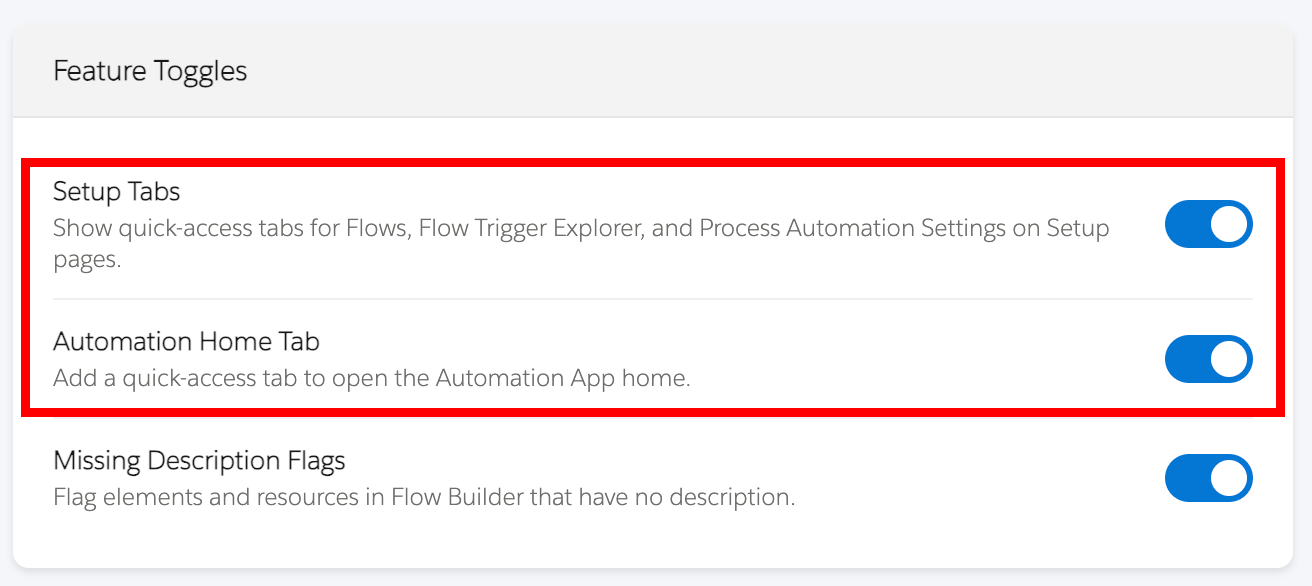
The settings page includes a dedicated toggle for:

This allows users to control whether the base tabs and optional extra tab should appear.

Setup Tabs Settings Options

How URLs are built

The feature derives destination URLs from the current hostname.

It includes logic for:

This allows the feature to build the correct destination URLs for the current org/environment without requiring manual configuration.

How to use it

  1. Enable Setup Tabs in the toolkit settings or from the extension.
  2. Open a Salesforce Setup page where the Setup tab bar is present.
  3. Wait for the custom tabs to appear.
  4. Click a tab to navigate to the desired destination.
  5. Optionally enable Automation Home Tab in settings if you want that additional shortcut.

Enable and disable behaviour

Setup Tabs can be toggled on and off.

When enabled, the custom tabs are injected into the Setup tab bar.

When disabled, the custom tabs are removed.

The feature also responds to settings changes so that tab injection can be updated without requiring a full manual reconfiguration.

Notes and limitations

Current implementation notes:

Accessibility and usability notes

The current implementation includes: